
Best CPU Cooler 2026: Air vs AIO Guide
Air cooler or AIO in 2026? We rank the Noctua NH-D15 G2, Arctic Liquid Freezer III Pro, and Thermalright PA120 SE so you buy smart.
PC HARDWAREBUILD GUIDESBUILD COMPONENTS
7/10/20265 min read
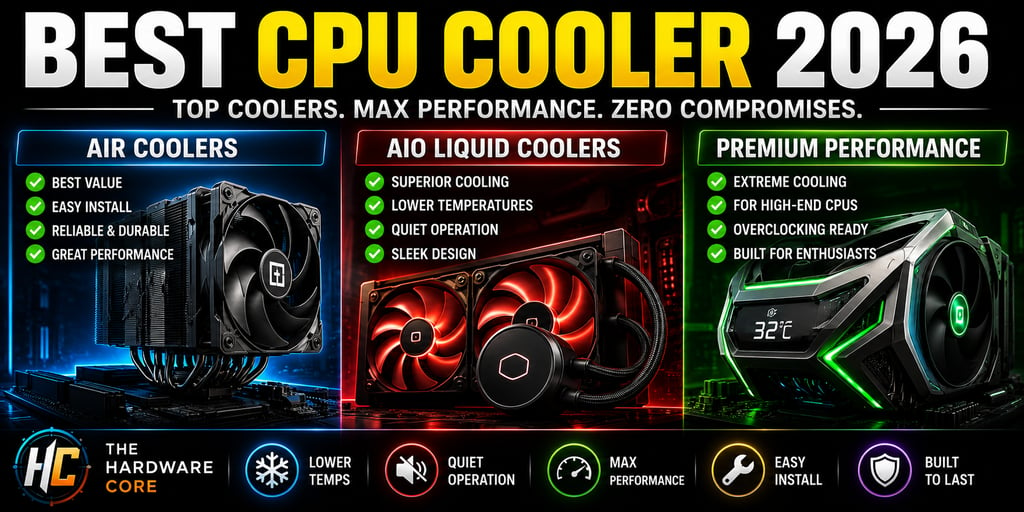
Best CPU Cooler 2026: Air vs AIO, What Actually Makes Sense for Your Build
This post contains affiliate links. If you purchase through these links, The Hardware Core may earn a small commission at no additional cost to you. This never influences our recommendations.
The air vs AIO argument has dragged on for years, and in 2026 the answer is finally simple. A premium air cooler beats most 240mm AIOs in noise-normalized tests, costs significantly less, and has nothing that can fail except a fan. If you're gaming on a mainstream CPU, you don't need liquid cooling. Full stop.
That said, the calculus does change when you're pushing a high-TDP chip under sustained all-core loads, and we cover exactly when that line gets crossed on The Hardware Core YouTube channel. This guide gives you the full breakdown with specific picks at every price point so you don't overpay for cooling you don't need.
Air Cooling in 2026: Better Than You Think, and Cheaper Than You're Paying
Modern dual-tower air coolers have closed the gap on AIO performance so aggressively that the "you need liquid cooling for a serious build" advice is mostly obsolete. The Thermalright Peerless Assassin 120 SE consistently outperforms every 240mm AIO tested alongside it in multiple independent benchmarks, and it costs roughly thirty-five dollars. That's not a fluke result. It's what happens when heatsink engineering matures.
Air cooling's other advantage rarely gets mentioned enough: there's nothing to fail. No pump, no coolant, no risk of permeation over five years. The only moving parts are fans, and a dead fan triggers thermal throttling long before it causes damage. For a build you're planning to run for three or four years without touching, that matters.
Thermalright Peerless Assassin 120 SE, The Value Benchmark
Price: ~$35
Configuration: Dual-tower, dual 120mm fans in push-pull
TDP Rating: 265W, handles Ryzen 7 9800X3D and Core Ultra 7 265K without thermal throttling
Socket Support: AM5, AM4, LGA1851, LGA1700
The Case For It: Only 1.5°C behind the Noctua NH-D15 G2 in noise-normalized testing at roughly a quarter of the price. This is the cooler you recommend to every builder who isn't running a flagship chip
The Catch: Large enough to check RAM clearance before ordering, tall DDR5 heat spreaders can conflict with the second fan
Noctua NH-D15 G2, The Buy-Once Flagship
Price: ~$150-160
Configuration: Dual-tower, dual 140mm NF-A14x25r G2 fans
TDP Rating: Handles flagship desktop CPUs with headroom to spare
Socket Support: AM5, AM4, LGA1851, LGA1700 out of the box
The Case For It: In testing, this heatsink-and-fan assembly can beat a decent 360mm AIO liquid cooler, that's not marketing copy, that's independent benchmark data. It's whisper-quiet at load and built to outlast multiple CPU generations PC Game Check
The Catch: Enormous physical footprint and a very acquired aesthetic. It's beige, brown, and blocks the view of everything underneath it
Thermalright Phantom Spirit 120 SE, The RAM-Clearance Fix
Price: ~$40
Configuration: Asymmetric dual-tower, single 120mm fan
TDP Rating: 265W, matches the Peerless Assassin in most sustained tests
Socket Support: AM5, AM4, LGA1851, LGA1700
The Case For It: The asymmetric layout keeps the left tower away from your DIMM slots entirely. GeekaWhat's 2026 benchmarks put it at 61°C average and 66°C maximum in Cinebench 4-thread testing, outperforming four different 240mm AIOs
The Catch: Marginal performance step-down versus the PA 120 SE on the heaviest all-core loads, not noticeable in gaming
Your CPU cooler doesn't operate in isolation. The board underneath it shapes how effectively heat moves away from the socket, check our best gaming motherboard guide for 2026 to make sure your platform choice leaves proper clearance and VRM airflow intact.
AIO Liquid Cooling: When the Radiator Is Actually Worth It
Here's the honest truth about AIOs: they're worth buying in specific situations, and genuinely wasteful in others. The situations that justify liquid cooling in 2026 are narrower than most people think.
Reach for a 280mm or 360mm AIO when you're running a high-core-count chip like the Ryzen 9 9950X3D or Core Ultra 9 285K under sustained all-core loads, or when the clean aesthetic genuinely matters to you. Skip the cheap 240mm AIO trap entirely. A budget 240mm AIO introduces pump noise and pump failure risk while matching a $35 air cooler's performance. There's no version of that trade-off that makes financial sense. Tom's Hardware
When you do go liquid, go big enough to matter.
Arctic Liquid Freezer III Pro 360 ARGB, The Performance Pick
Price: ~$94-105
Configuration: 360mm radiator, three included fans, integrated VRM fan on the pump head
TDP Rating: 290W+ sustained, the right call for flagship chips under genuine all-core workloads
Socket Support: AM5, AM4, LGA1851, LGA1700
Warranty: 6 years, the best in the AIO category by a significant margin
The Case For It: The Arctic Liquid Freezer III Pro delivers roughly 92% of the cooling performance of the NZXT Kraken Elite at 56% of the price. The integrated VRM fan actively cools your motherboard's power delivery components, which matters on sustained workloads that push both the CPU and the voltage regulators Newegg Insider
The Catch: Large radiator means you need to confirm your case supports 360mm top or front mounting before buying
NZXT Kraken Elite 360, The Showcase Build Option
Price: ~$180-200
Configuration: 360mm radiator, 2.36-inch IPS LCD pump display
TDP Rating: 300W+ sustained
Socket Support: AM5, AM4, LGA1851, LGA1700
The Case For It: If you're building a glass-panel showcase system and aesthetics are part of the point, the Kraken's LCD display is functional, it shows live thermals, pump speed, and custom animations rather than just spinning a logo
The Catch: The premium over the Arctic is almost entirely the screen. If you don't care about the display, the Liquid Freezer III Pro beats it on price and matches it on performance
be quiet! Silent Loop 3 420, The Silent Running Option
Price: ~$130-150
Configuration: 420mm radiator, three 140mm fans
TDP Rating: 300W+
Socket Support: AM5, AM4, LGA1851, LGA1700
The Case For It: 140mm fans move more air at lower RPM than 120mm fans, which means quieter operation at equivalent cooling performance. If your build lives in a bedroom or quiet studio environment, this is the premium silence-focused pick
The Catch: 420mm mounting requires specific case support, verify your chassis before ordering
One thing worth planning around before installing an AIO: your power supply needs enough headroom to run both your CPU and GPU at sustained load without voltage sag. Our best ATX 3.1 PSU guide for 2026 covers exactly what wattage to target based on your specific chip and GPU pairing.
How to Pick the Right Cooler Without Overthinking It
Start with your CPU's actual thermal demand, not the cooler's maximum TDP rating. Most gaming CPUs spend the vast majority of their time using a handful of cores, the kind of light, bursty load where a $35 air cooler and a $150 AIO perform identically.
The decision tree is genuinely short:
Running a Ryzen 5, Ryzen 7 9800X3D, Core Ultra 5, or Core Ultra 7 in a gaming build, Thermalright Peerless Assassin 120 SE perfect for a $1000 build. Done. Spend the savings on GPU.
Running a Ryzen 9 9950X3D or Core Ultra 9 285K with sustained all-core workloads, Arctic Liquid Freezer III Pro 360. The extra radiator surface area earns its cost here.
Building a glass-panel showcase system where aesthetics are part of the build, NZXT Kraken Elite 360 or be quiet! Silent Loop 3 420 depending on your noise priority.
Tight budget, mainstream gaming CPU, Thermalright Phantom Spirit 120 SE if RAM clearance is a concern, Peerless Assassin if it isn't.
Don't buy a 240mm AIO for a gaming build. Don't buy a $150 air cooler if you're not pushing flagship thermals. Match the cooler to the workload and put the rest of the budget where it moves the needle, usually the GPU.
For the full assembly context around cooler installation, our step-by-step PC building guide for 2026 covers both air cooler and AIO mounting in sequence with every other build step.
Our current top cooler pick, along with the rest of our vetted lineup, lives on the Gear We Recommend page.
For a cooler's current verified price, tracked weekly against a fixed model, see our Market Tracker.
Connect
Stay updated with the latest hardware insights
Contact
Subscribe
contact@Thehardwarecore.com
© 2026. All rights reserved.
THE BASEMENT

